Connect every WordPress form in one go
Finds every form from Contact Form 7, WPForms, Gravity Forms, Elementor and four more form plugins, shows where each one sends its enquiries, and connects the ones you choose in one go, keeping the old address so you can put it back.
You never need it. Humainbox works by changing one field: the address your form sends its notifications to. The plugin changes that same field for you, on as many forms as you tick, and keeps the old address so you can put it back.
Do you need it?
Usually not. Here is when it helps
The shortcut is worth installing when finding the field is the hard part. When it is not, the manual route is quicker.
It helps with
- A site with several forms, or forms in more than one form plugin
- A site you inherited, where nobody remembers which form sends where
- An agency setting up many client sites
- Finding a form that quietly notifies nobody
Skip it for
- One form: changing the field by hand takes a minute
- Forms built with a plugin it does not read yet; the manual route works for any form that sends an email
- A site where you would rather install nothing at all
Inside the plugin
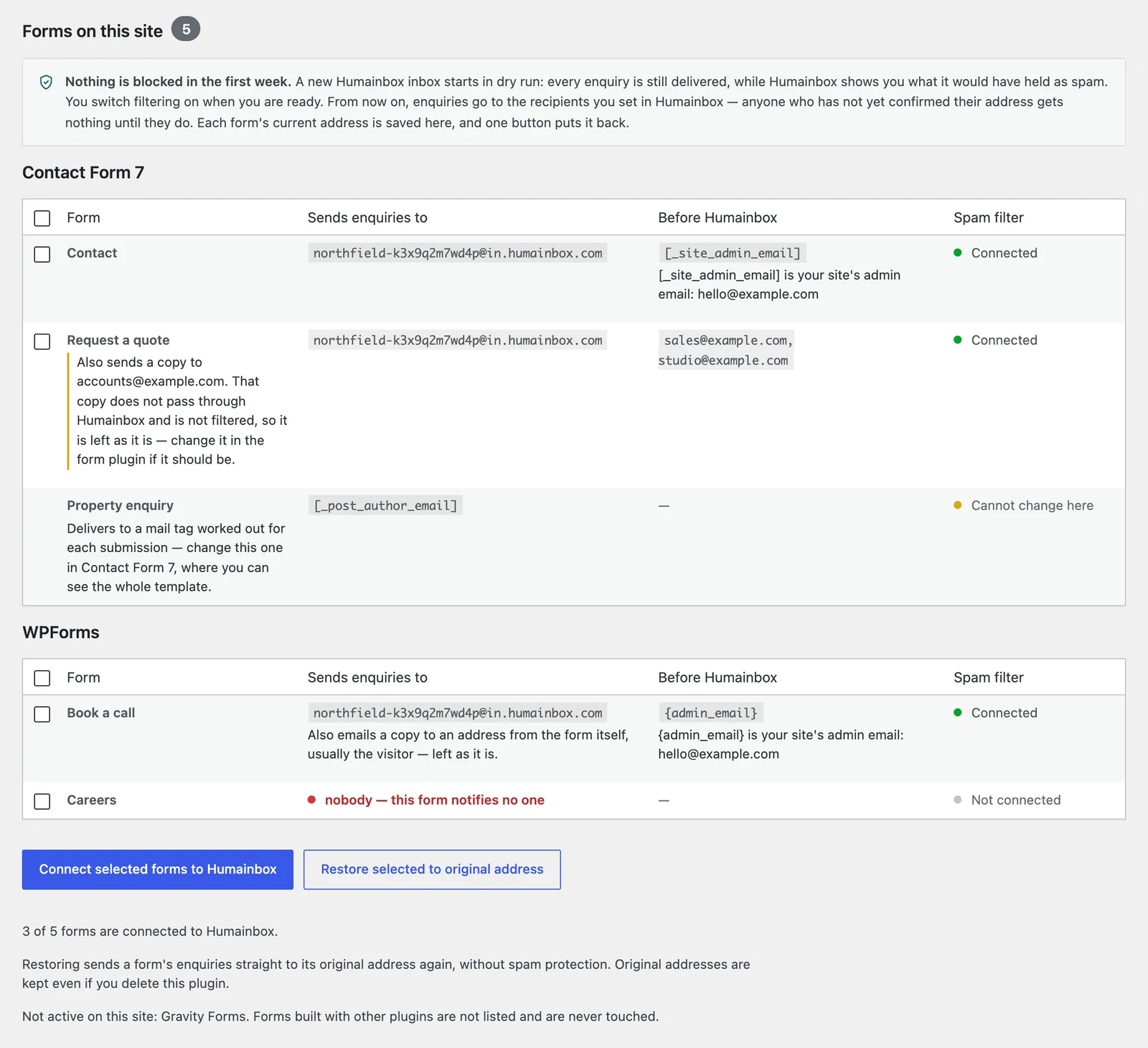
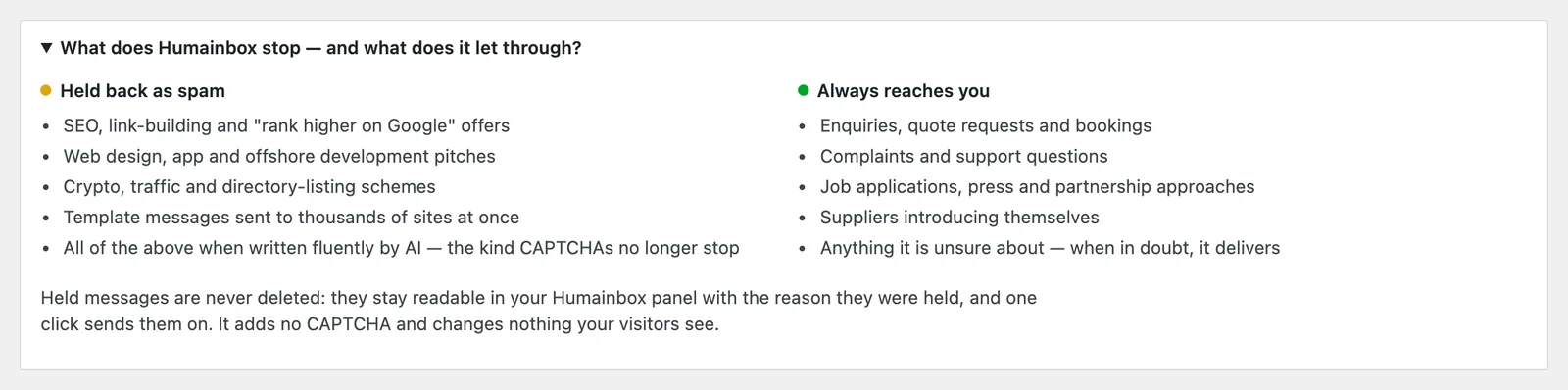
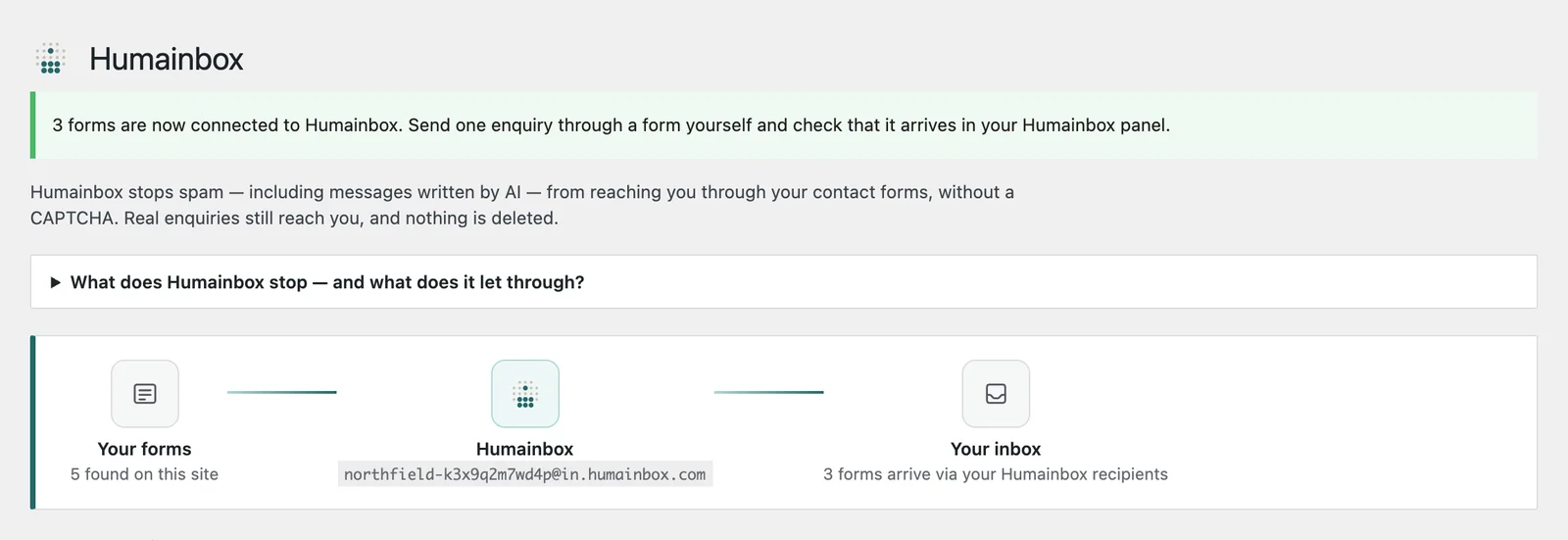
It explains itself before it changes anything
Somebody who has never heard of us should be able to read the screen and know what pressing the button will do.
What it never does
A settings screen, and nothing else
Nothing on your pages
No scripts, no styles, no CAPTCHA and no links on the front end. It only works on its own settings screen.
Not in the path of a submission
It changes a setting and steps aside. Deactivate or delete it and your forms keep working exactly as they are.
No network requests
It does not call home or load anything remote. The only email it sends is a test message, when you press the button.
Never loses an address
The address each form used before is saved first, and one button puts it back.
The form plugins it changes
Each of these has the same field the plugin changes, and a page that shows you where it is — if you would rather do it yourself, that is all it takes.
 Settings → Notifications → Send To Email Address
 Mail → To
 Settings → Notifications → Send To Email
Form widget → Content → Actions After Submit → Email → To
Settings → Notifications → Send To Email
Form widget → Content → Actions After Submit → Email → To
Also Ninja Forms, Fluent Forms, Forminator and Formidable Forms.
Questions
The WordPress plugin, specifically
Do I need the plugin?
No. The whole setup is one field: the address your form sends its notifications to. The plugin changes that same field for you, which saves time on a site with many forms and saves nothing on a site with one.
Is it free?
Yes. The plugin is free and open source (GPL), and everything in it works the same on every plan, including the free one. It lists your forms and where each one sends even before you have an account.
Does it slow my site down or add a CAPTCHA?
No. It adds nothing to your pages: no scripts, no styles, no CAPTCHA. It only runs on its own settings screen, and it is not involved when a visitor sends a form.
Which form plugins does it support?
Contact Form 7, WPForms (Lite and Pro), Gravity Forms, Elementor Forms (Elementor Pro), Ninja Forms, Fluent Forms, Forminator and Formidable Forms. It never changes a notification addressed to the visitor or worked out per submission, such as the "copy of your message" email.
What happens if I delete it?
Your forms keep working exactly as they are, because the address lives in your form plugin's own settings. The record of the original addresses is kept, so reinstalling still lets you put them back.
Does it send my site's data anywhere?
The plugin makes no network requests. Once a form is connected, its submissions are emailed by your form plugin to your inbox address, which is the point of connecting it; the plugin itself sends only a test message, when you press the button.
Get the plugin, or just an address
Either way you start in dry run: every message is still delivered for the first week, while you see what would have been held as spam.